
|
 FAQ Home FAQ Home
 Curtain e-locker Curtain e-locker
 Installation Guide Installation Guide
User Guide
Curtain LogTrace
Curtain MonGuard
Curtain PrintTrail
Website Product Page
Curtain e-locker
Curtain LogTrace
Curtain MonGuard
Curtain PrintTrail |
| FAQ No.: | 00389 |
| Category: | Curtain Frontier |
|
| | |
| Question: | How to query Curtain Frontier's file logs?
|
| | |
| Answer: | Company administrators and publishers can view file operation logs at https://curtainfrontier.com.
- Administrators can view operation logs for all users and all files.
- Publishers can only view operation logs for files they have published, including those for external users.
The steps are as follows:
1. Open a browser and enter the URL https://curtainfrontier.com/ to access the cloud server.
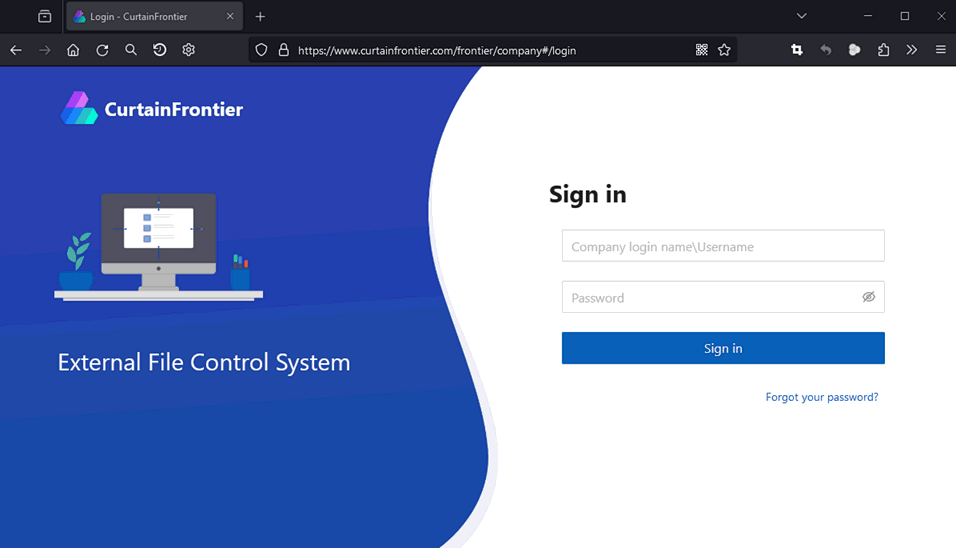
2. Enter the account and password.
* Account format: CompanyLoginName\Username
3. Select "File Log" to open the file log list. You can search for the required log according to different filtering conditions.
Filter conditions include:
- Operation's username
- Time
- File name
- Event:
- Upload
- Download
- Change permissions
- Deleted
- Open
- Print
- Publish
- Change status
- Result: Success, Fail
- Keyword
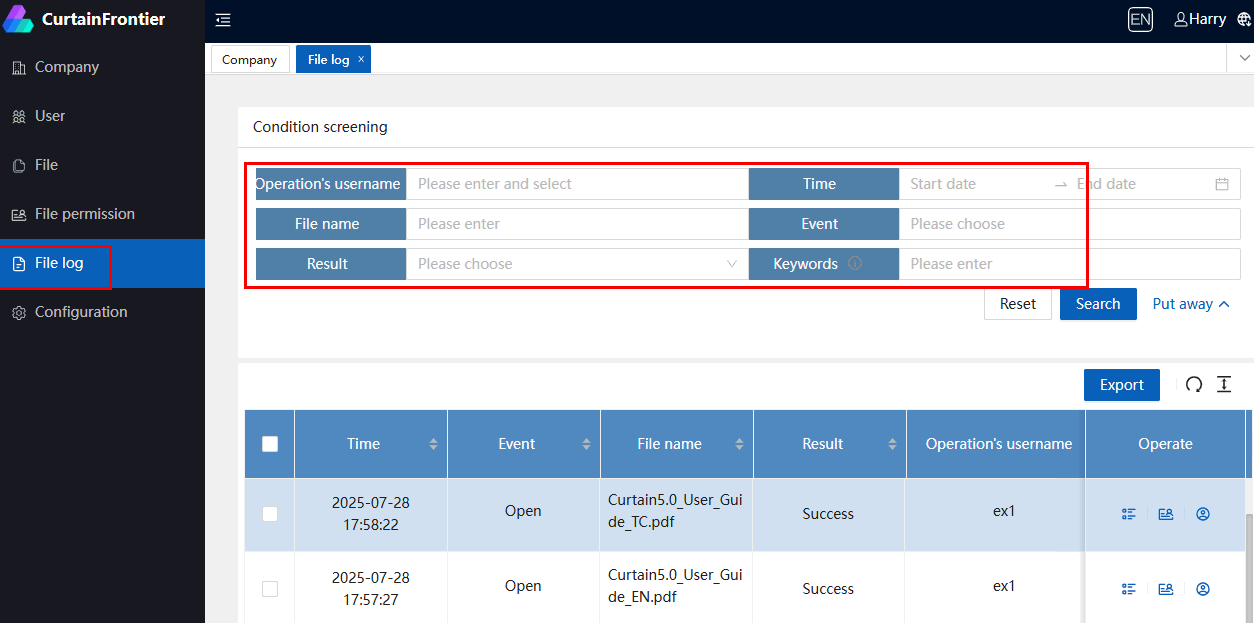
4. In the file operation column, click different menus to view detailed operation data, file details, and user details for the file.

For File management, please refer to FAQ 00390 - How to manage external files on Curtain Frontier Web ?
For User management information, please refer to FAQ 00381 - What are the user roles in the Curtain Frontier system? |
| |
| |
| |
| |
| |
|
| |
| |
| |
| |
|
 FAQ
FAQ