
|
 FAQ Home FAQ Home
 Curtain e-locker Curtain e-locker
 Installation Guide Installation Guide
User Guide
Curtain LogTrace
Curtain MonGuard
Curtain PrintTrail
Website Product Page
Curtain e-locker
Curtain LogTrace
Curtain MonGuard
Curtain PrintTrail |
| FAQ No.: | 00391 |
| Category: | Curtain Frontier |
|
| | |
| Question: | How to retroactively adjust permissions on external files on Curtain Frontier Web?
|
| | |
| Answer: | Company administrators and publishers can modify file permissions on the cloud server directly on https://curtainfrontier.com.
- Administrators can view and modify permissions for all files on the cloud server.
- Publishers can only view and modify permissions for their own published files.
The steps are as follows:
1. Log in to https://curtainfrontier.com .
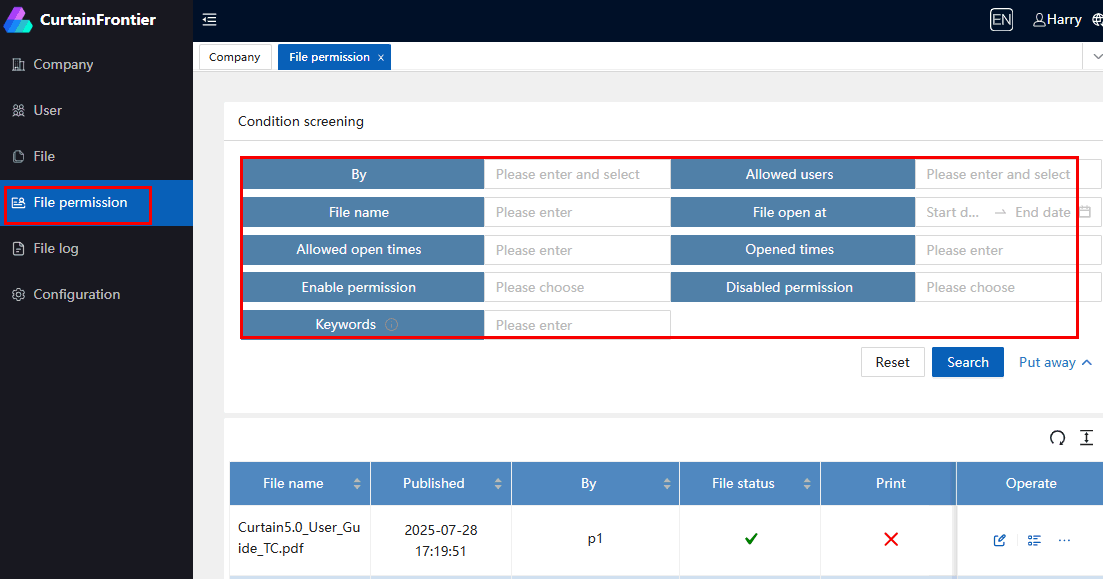
2. Select "File Permissions" to open the file permissions list. You can search for the required files by filtering conditions.
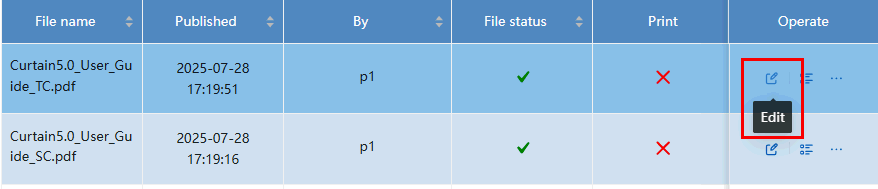
3. Select the file you want to modify and click "Edit" to modify its access permissions.
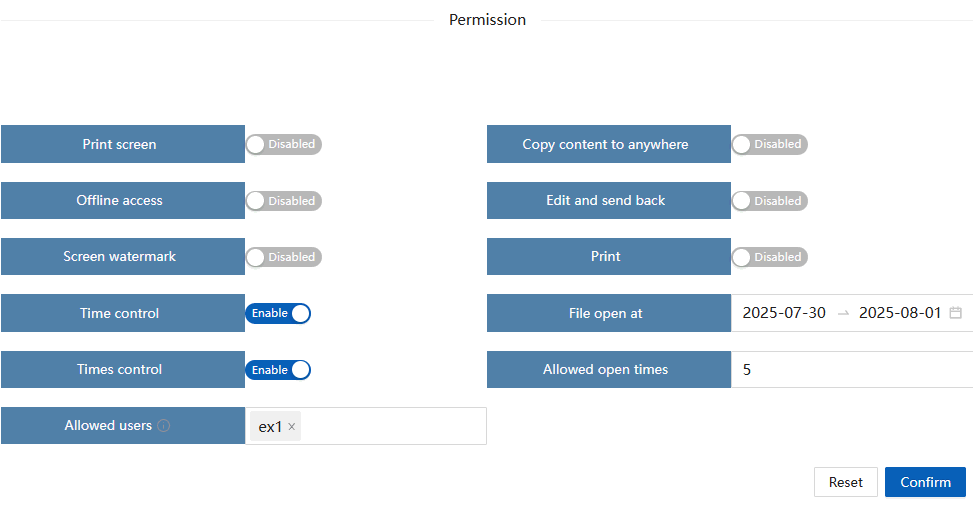
File permissions that can be modified include:
- Print screen
- Copy content to anywhere
- Offline access
- Edit and send back
- Screen watermark
- Print
- Time control (Allowed open times)
- File open at (open count)
- Allowed users (external users)
Related FAQ 00342 - How to post file out of control by Curtain e-locker Client? |
| |
| |
| |
| |
| |
|
| |
| |
| |
| |
|
 FAQ
FAQ